Future of work
Category
An open-source Claude Code tool that groups skills under one name and loads them all from the slash menu.
Future of work
Category
Personal
Company Type
2026
Year
Role
Creator
Team
Solo, open source
Outcome
One command loads a whole set of skills from the slash menu.

Playlist started as a fix for my own habit of pasting the same “load these 20 skills” list into every session. The lesson was to design inside the surface people already have rather than add a new one: the name becomes the command, the guided flow lives in Claude's own question panel, and the tool ships as a plain skills-directory plugin so an update never deletes a user's playlists.
How might we…let someone load the same group of Claude Code skills every time, with one command, without pasting the list again?

Type /playlist and the menu lists the tool, then every playlist you have. Hover over one to see what is in it.
Claude Code has no saved group of skills. Typing /a /b /c stacks six at most and nothing is remembered, so people paste the same “load these 20 skills” list over and over. A playlist is that list, saved once and one tab away.
The name is the command. A playlist called swift is played with /playlist:swift, and adding a request to it carries straight on: /playlist:swift review LoginView before I commit. Claude says how many skills it is loading, loads every one in parallel, confirms ▶ swift · 20/20 skills loaded, and continues with the request.
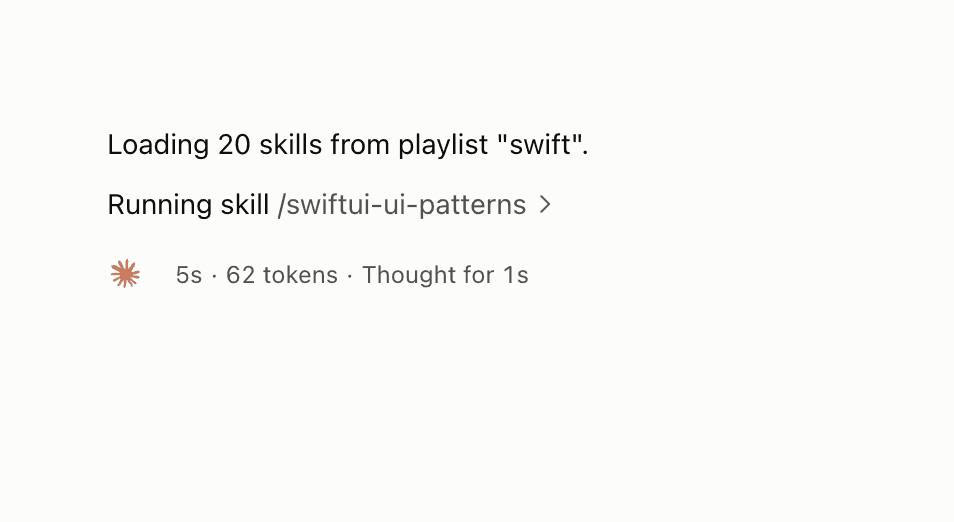
The confirmation after playing a playlist: how many skills, from which playlist, and the first one running.
Run /playlist with nothing after it and it walks you through five short steps in Claude's question panel, so you pick instead of type. Every option says what it will do and what it is based on.
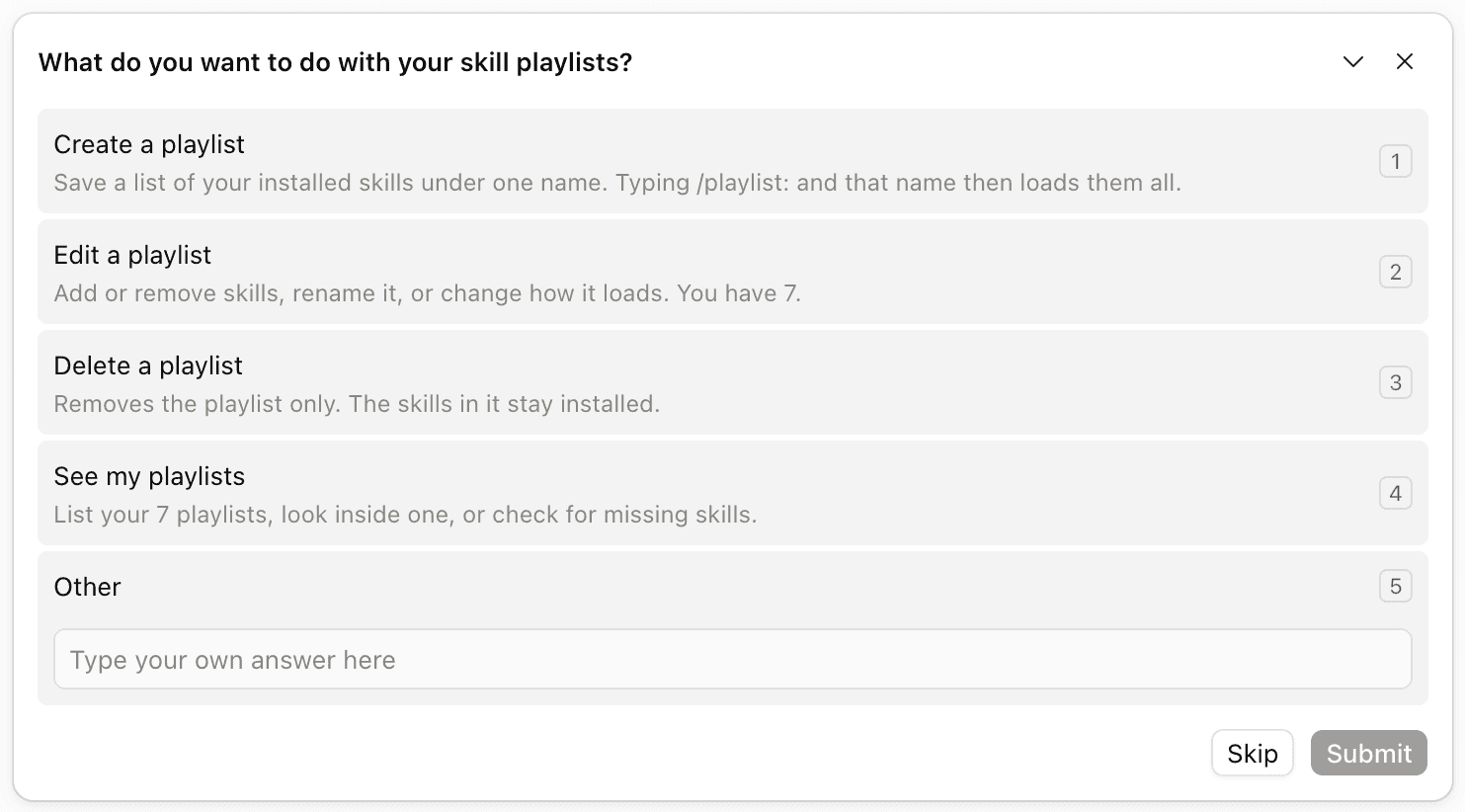
Create a playlist, edit one, delete one, or see what you have. Two of the options already show how many playlists exist.
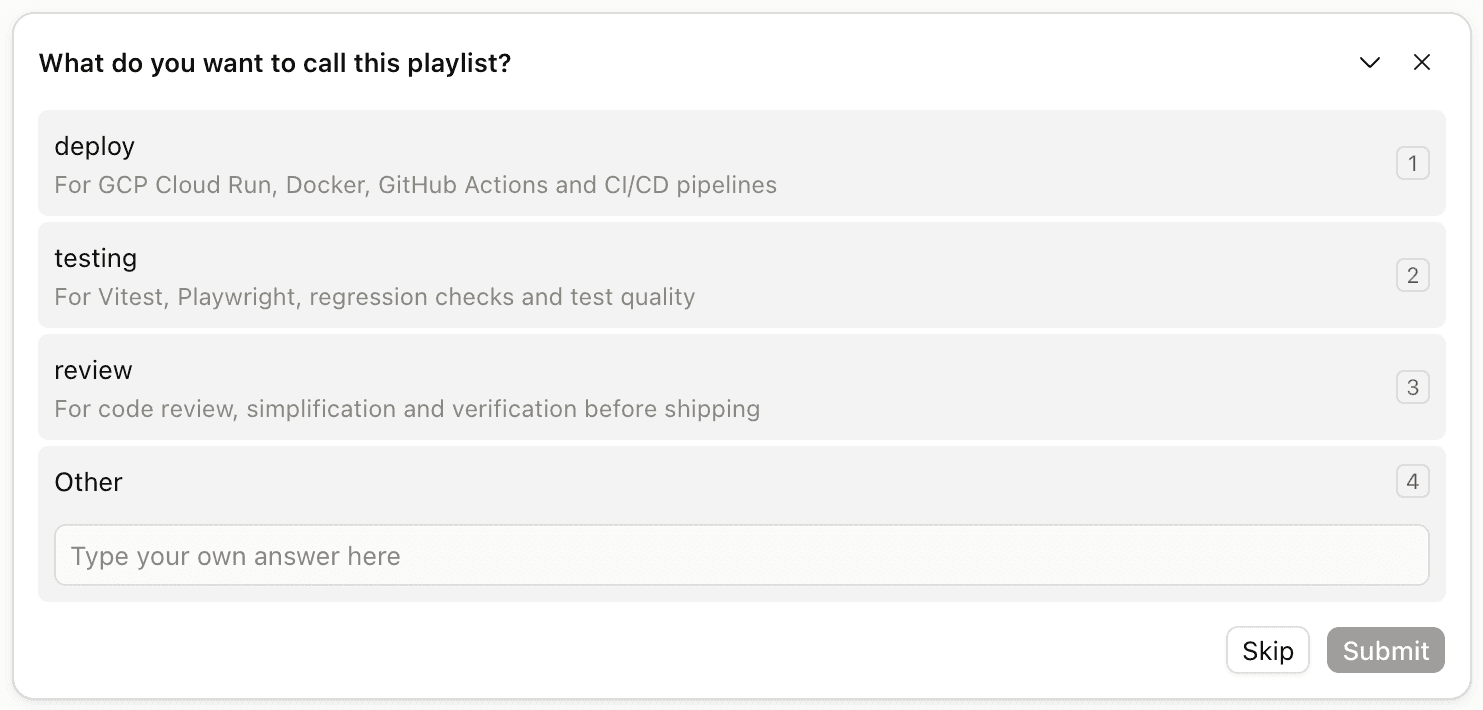
The name becomes the command. Claude suggests names from the folder you are in and from the conversation, each with the purpose it would serve, or you type your own.

Never one word at a time. Suggest from this folder reads the dependency and config files you are sitting in and proposes the installed skills that fit. I'll type them takes names, partial names or a plain description on one line. From this conversation and From my history reuse lists of skills loaded together before, found in past Claude Code conversations on the machine. Nothing leaves the computer.

Claude shows what it gathered with a few words on each skill, marks the places where it chose between similar skills so you can swap them, and says roughly how many tokens playing the list adds to a conversation. Create it, add more, remove some, or start over.
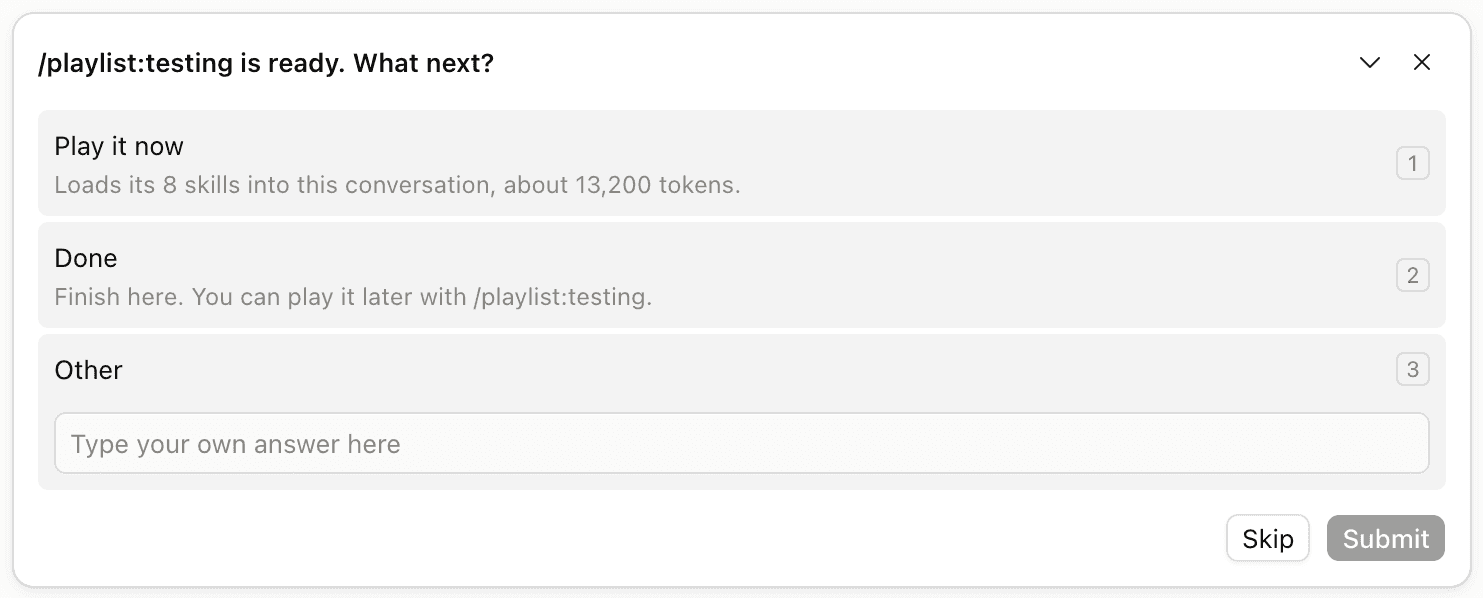
Playing loads the new playlist's skills into the conversation straight away; Done tells you how to play it later.
Claude Code copies a marketplace plugin into a versioned cache folder and replaces that folder on every update. Playlists live inside the tool's folder, because that is what makes them show up as /playlist:name, so a marketplace update would delete them, and a marketplace plugin cannot register the bare /playlist command at all. A plugin that sits in the skills directory is loaded in place, keeps its files, and gets both the bare command and the namespaced ones.
Auto-load is off by default: a playlist plays only when you call it, so twenty skills never arrive uninvited. A playlist does not make skills cheaper either. Loading 20 skills costs the same context whether you load them one by one or from a playlist, and the review step says so; the pick load mode, which lets Claude load only the skills a request needs, is the only setting that uses less.
If you already know what you want, the menu skips ahead: /playlist new nuxt-app with nuxt vue pinia shadcn vitest a11y, /playlist add swiftdata to swift, /playlist delete review. Partial skill names are fine; Claude resolves the exact ids, marks where it chose between similar skills, and asks only when it cannot tell. Deleting always asks first and never removes the skills themselves.
Open source under the MIT license with a one-line install, a small Python command line underneath the menu, tests running in CI, issue templates and a security policy. It works in the terminal, the desktop app and the IDE extensions, because they share the same skills folder.
Interested in a role, a project, or a private case study? Send a note.

